Spoonmark for iPhone
Spoonmark vs Daily Bite: which recipe app fits you?
Spoonmark and Daily Bite both save the recipes you find online and help you plan the week, so you can't go far wrong with either. The difference is in what each one is built around.
Daily Bite does a lot well. It saves recipes from TikTok, Instagram, recipe websites and screenshots, offers a library of chef recipes in Daily Bite Pro, and its new assistant, Ask Nib, plans your week or finds dinner ideas from your saved recipes, then adds them to your meal plan and grocery list when you tap Add.
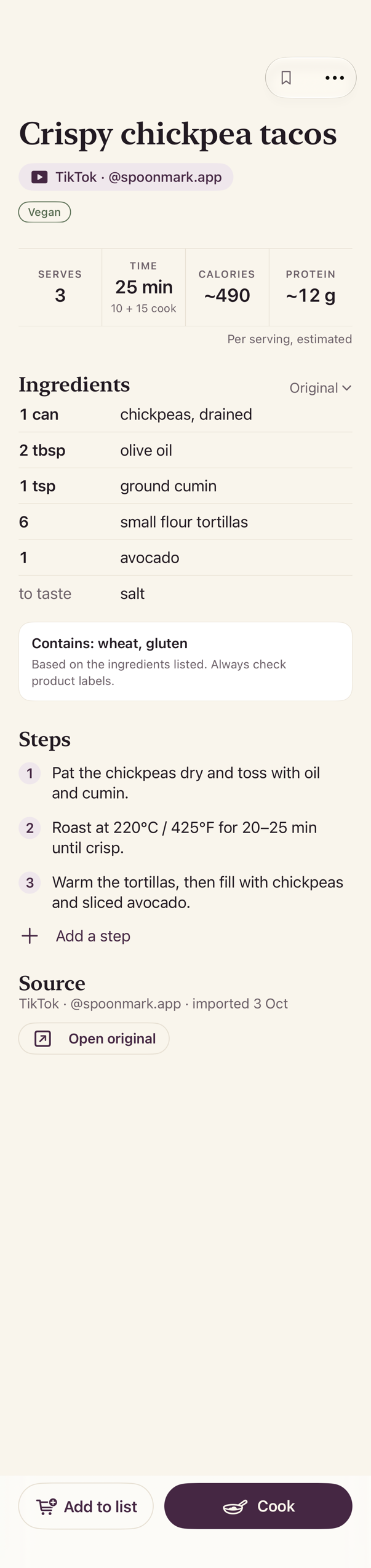
Spoonmark is built around the recipes you find in videos. Share a TikTok or Instagram video or a screenshot and it becomes a clean recipe; recipes imported from a link keep the creator's handle and a link to the original. There's no account to create, the grocery list comes sorted by aisle in whole packs, and Spoonmark Plus adds Plan my week and family folders.
Get Spoonmark, free on the App Store
Needs iOS 26 or later.
Side by side
| Feature | Spoonmark | Daily Bite |
|---|---|---|
| Save from a recipe link | Recipe websites and TikTok links. For Instagram, a screenshot of the caption or the reel itself. | Instagram, TikTok, Facebook and most recipe websites. |
| Screenshots and photos | Yes. Several screenshots of one recipe are read as one recipe. | Yes, from a photo or a screenshot. |
| Link to the original | Recipes imported from a link keep the creator's handle and a link to the original. | Recipes Nib finds online are saved with a link to the original. |
| Week plan | Yes. Plan the week by hand. | Yes. Add recipes to a weekly meal plan. |
| Help planning the week | Plan my week, with Spoonmark Plus: picks from your saved recipes and reuses the same ingredients across meals, so fewer packs go half used. | Ask Nib plans your week or finds dinner ideas from your saves. Nothing lands on your plan until you tap Add. |
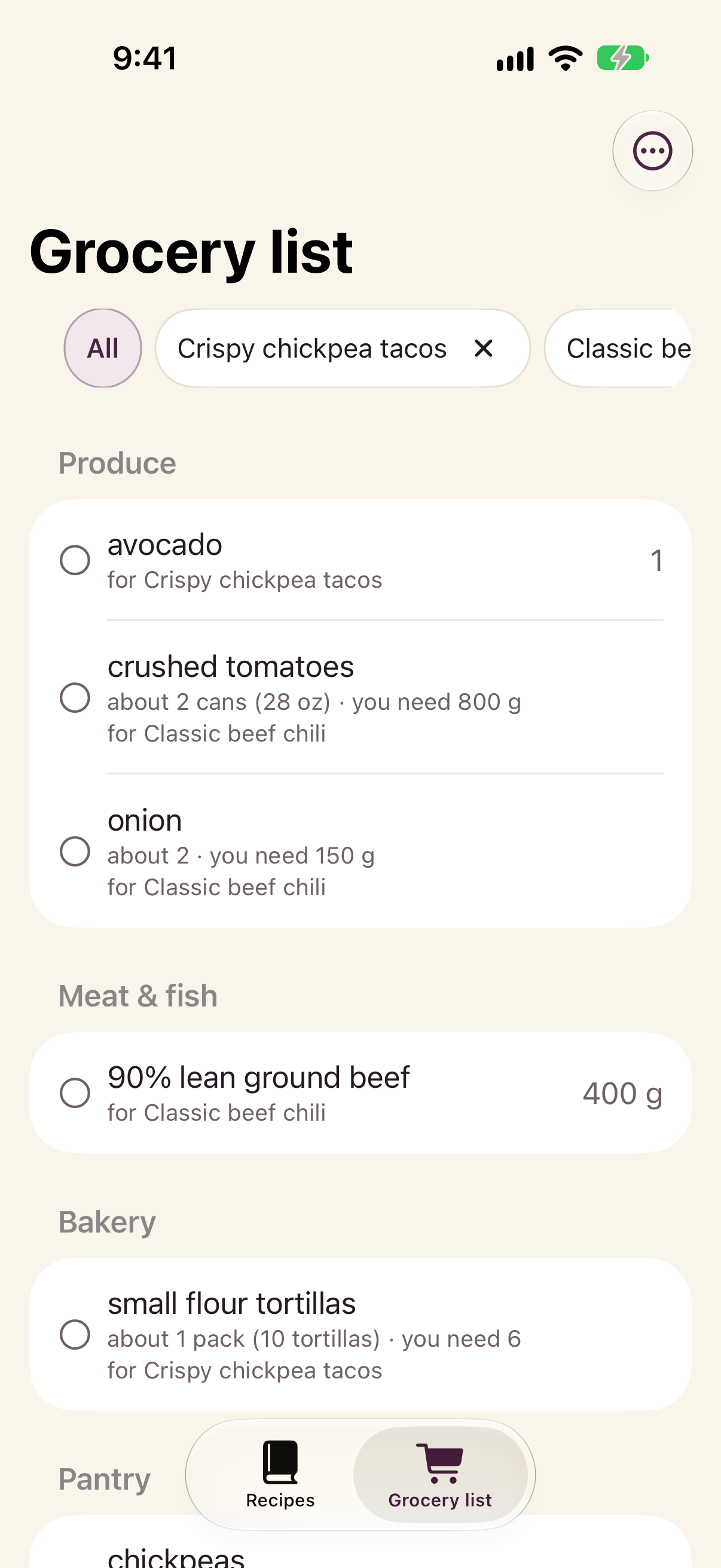
| Grocery list | One list for your recipes, sorted by aisle, in whole packs. | Built from your plan, grouped by recipe or by aisle, with shared ingredients merged into one line. |
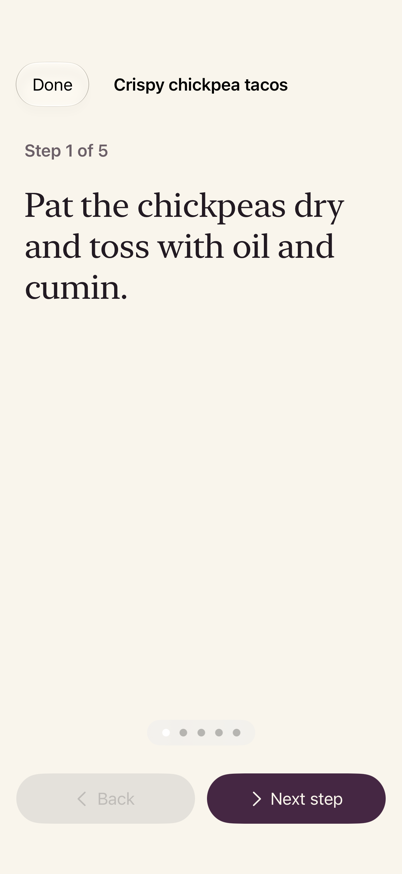
| Cook mode | Yes. One step at a time, in type you can read from the stove. | Yes, with step timers, in Daily Bite Pro. |
| Recipes included | An optional set of 12 starter recipes on your first launch. Otherwise it's the recipes you find. | 500+ chef recipes in three cookbooks, in Daily Bite Pro. |
| Ideas for tonight | You pick from your own recipes. | A recipe of the day, what's trending, and filters for what's already in your fridge. |
| Account | None needed. | Uses an account, with Sign in with Apple. |
| Phones | iPhone with iOS 26 or later. | iPhone with iOS 15.1 or later, and Android. |
Last checked: November 5, 2026
Daily Bite details come from its App Store page and its website.
Daily Bite is a trademark of its owner; Spoonmark is not affiliated with it.
Who should pick which
Pick Daily Bite if
- You'd like an assistant you can ask to plan the week, find dinner ideas or rework a recipe with swaps, scaling or a translation.
- You want a library of chef recipes to cook from on day one.
- You like a recipe of the day to decide dinner for you.
- You also cook from an Android phone.
Pick Spoonmark if
- Most of your recipes come from TikTok and Instagram videos, including ones where the recipe is only spoken.
- You want the creator's handle and a link to the original on the recipes you save from a link.
- You'd rather not create an account.
- You want a grocery list sorted by aisle, in whole packs.
- You cook for a household and want to share recipes in family folders.
Inside Spoonmark
Questions
Can I use both?
Yes. They're separate apps, and nothing stops you from keeping both on your iPhone.
Does Spoonmark have an assistant like Ask Nib?
Not a chat assistant. Spoonmark Plus has Plan my week, which picks dinners from your saved recipes and reuses the same ingredients across meals. You can also plan the week by hand.
Can Spoonmark read a recipe that's only spoken in the video?
Yes. Save the video and share it to Spoonmark: it transcribes the audio and reads the text on screen. The video is read on your phone and never uploaded.
Do I need an account for Spoonmark?
No. There's no account to create.
How do I get Spoonmark?
Spoonmark is free on the App Store, for iPhone with iOS 26 or later.
Get Spoonmark, free on the App Store
How to save recipes from: TikTok · Instagram · YouTube · Screenshots