Spoonmark for iPhone
How to save recipes from TikTok
TikTok's Saved tab keeps the video, not the recipe. Spoonmark turns the video into ingredients and steps you can cook from, with the creator's handle and a link back to the original.
Get Spoonmark, free on the App Store
Needs iOS 26 or later.
Step by step
- Tap Share on the video
In TikTok, tap the Share arrow next to the video, then More to open the iPhone share sheet, and choose Spoonmark. Or tap Copy link, open Spoonmark and tap Paste a link.
- Spoonmark reads the caption
The recipe is read from the video's caption. When Spoonmark finds one, it shows Found a recipe.
- Review & save
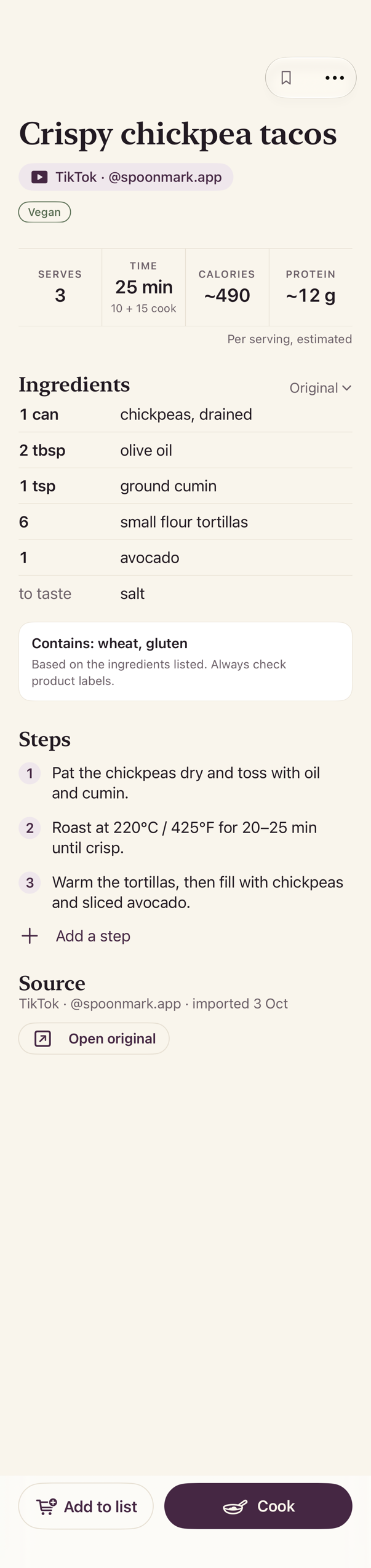
Check the ingredients and the steps, fix anything, and save. The creator's handle and the link to the original stay with the recipe.
- No recipe in the caption? Share the video
Press and hold the video in TikTok, tap Save video, then share it from Photos to Spoonmark and open the app. The video is read on your phone and deleted afterwards.
What you get
Questions
Does it work when the recipe is only spoken in the video?
Yes. Save the video and share it: Spoonmark transcribes the audio and reads the text on screen. The video never leaves your phone.
What if the creator deletes the video?
Your recipe stays in Spoonmark. The link to the original may stop working; the ingredients and steps don't.
Is it free?
Spoonmark is free on the App Store. Before each video import, the app shows how many free video imports you have.
Does Spoonmark need my TikTok account?
No. It never signs in to TikTok and never posts anything. It only reads what you share with it.
Get Spoonmark, free on the App Store
Also: Instagram · YouTube · Screenshots